
.avif)
_edited.png)
Sales Presentation Software: Field Sales Tools Compared

A customer-site meeting rarely involves a slide deck alone. The rep may need to move from a product video to a PDF specification sheet, open a pricing spreadsheet, show a PowerPoint deck, and finish with a leave-behind. The network may be weak, the customer may request a last-minute change, and there may be no time to troubleshoot a missing file or an unexpected codec problem.
That's why the best sales presentation software depends on the sales moment. Some tools excel at authoring and collaboration. Others make browser-based distribution and buyer tracking easier. A smaller group is built for live navigation, offline delivery, mixed file playback, or unattended presentation loops.
This comparison evaluates each product by the field-sales job it performs, including playback, offline readiness, content distribution, deployment, collaboration, analytics, and practical limitations.
MediaGun Ltd serves as the benchmark for reliable mixed-media playback and field delivery, while PowerPoint, Google Slides, Prezi, Canva, Pitch, Beautiful.ai, Visme, Storydoc, and Keynote each solve different parts of the workflow.
Table of Contents
1. MediaGun Ltd

Best for mixed-media playback and field delivery
A field rep may receive a product video, a specification PDF, an Excel price sheet, and a revised PowerPoint file shortly before a customer meeting.
MediaGun is designed for that kind of mixed-content situation. It brings videos, audio, images, PDFs, PowerPoint, Word, and Excel files into a single full-screen playlist, so the presenter can organise the meeting flow without rebuilding everything inside a slide deck.
The operational benefit is fewer application changes during delivery.
Instead of switching between PowerPoint, a media player, a PDF viewer, folders, and document windows, the presenter can run one ordered sequence from existing assets.
MediaGun supports 50+ file formats and is positioned around reducing app-switching, conversion work, codec hunting, and last-minute playback friction.
MediaGun also states that building playlists with external media can be up to 7× faster than PowerPoint. Treat that as a vendor benchmark: test it with your own files, hardware, meeting conditions, and operating procedure before a high-stakes customer presentation (MediaGun).
For a quick walkthrough of the workflow, see MediaGun’s Tutorial Video, which shows a typical MediaGun session and playlist creation in real time.
Practical rule: If a meeting depends on a video, PDF, Office file, and leave-behind, test the complete playback sequence on the actual presentation device. If the buyer also needs a copy afterwards, prepare that leave-behind separately, or use any free third party screen-recording tool for sharing a finished run-through.
Where it reduces field risk
The preview panel allows staff to check files before adding them to a presentation. MediaGun’s predictive validation checks that playlist items are accessible before playback, helping reduce the risk of missing files, invalid shortcuts, or last-minute failures before the presentation reaches the audience. That matters when a playlist has been assembled from mixed assets, last-minute customer-specific material, or files that may have moved between folders.
MediaGun is designed to separate preparation from delivery: the presenter builds and checks the playlist first, then runs it in full-screen playback for the audience. MediaGun also supports different delivery styles. Manual Mode lets the presenter control the sequence during a live conversation, while Solo Mode supports automatic playback for situations where the playlist needs to run without manual control. MediaGun’s website testimonials describe long-running real-world use, including Nestlé reception displays running around 10 hours a day, 5 days a week, and Geneva Airport storefront displays described as operating 7/7 and 24/24 for seven years. MediaGun runs on Windows, macOS, and Linux. The pricing page shows a Permanent Licence at £249 per licence, a Free 14 Day Trial, and describes the licence as a permanent one-time licence with free updates. The trade-off is straightforward: MediaGun is a mixed-media playback and playlist tool for existing assets, rather than a cloud slide-authoring or live co-editing workspace. That narrower role suits teams that prioritise predictable full-screen delivery, fast mixed-file preparation, and fewer technical distractions during live or unattended presentations.
For a practical example, review how to combine videos, images, PDFs, and MS Office files in one multimedia presentation.
2. Microsoft PowerPoint
Best for standard decks and broad compatibility
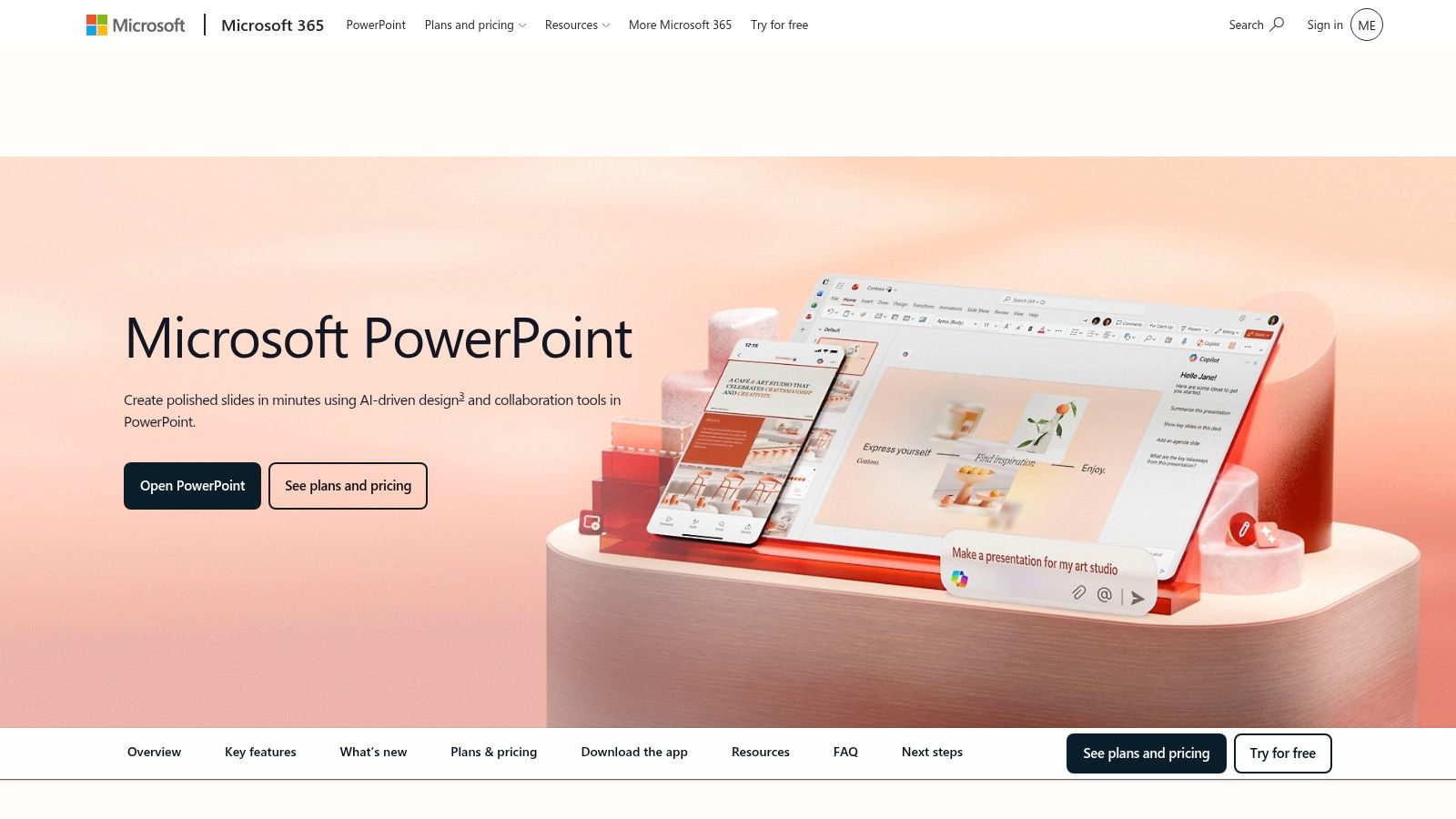
PowerPoint remains a practical default when prospects, partners, and internal teams expect a conventional deck. The desktop application supports offline presenting and strong slide authoring, while PowerPoint for Microsoft 365 is available across Windows, macOS, the web, and mobile. PowerPoint Live in Teams adds remote-presentation tools such as presenter view, speaker notes, chat, reactions, and participant visibility, while Microsoft 365 supports coauthoring and version history for shared files.
File compatibility is the main operational advantage. PowerPoint for the web can open .pptx, .ppsx, and .odp files, while older .ppt and .pps files can be viewed and converted into newer formats when browser editing is needed.
The web version can open files up to 2 GB, although embedded media has lower size limits, which matters for media-heavy decks. For field teams, the value is predictability: PPTX is widely understood, easy to exchange, and supported across Microsoft’s desktop, web, and mobile PowerPoint apps. That reduces friction when departments, agencies, partners, and customers need to review or adapt a standard sales deck, as outlined in Microsoft's PowerPoint web compatibility guidance
The limitation appears when a meeting includes several unrelated file types. PowerPoint can incorporate PDF content, but Microsoft describes this as inserting a snapshot of part of a PDF or inserting the PDF as an object that opens separately during the presentation. Any change in the PDF requires it to be re-embedded into the presentation.
That is different from treating a PDF, video, spreadsheet, and presentation as separate playlist items in one uninterrupted sequence. PowerPoint is excellent for creating and presenting a deck; it is not a dedicated mixed-file playlist player.
See combining videos, images, PDFs, and MS Office files when the PowerPoint workflow starts becoming a file-switching exercise.
3. Google Slides
Google Slides is the practical choice for distributed sales teams that edit decks with marketing, product, and leadership at the same time. Browser-based editing, comments, granular permissions, and automatic saving make it easy for a manager in one location to review a proposal while a rep in another location updates customer-specific content.
The link-based workflow also works well for follow-up. A rep can share a deck with a prospect, publish it, or export it as PDF or PowerPoint. Gemini in Slides can help generate slides and visuals, which is useful when the team needs a first draft from existing Workspace material.
The field limitation is not that Google Slides has no offline option, but that teams must prepare for it. A browser-based deck may be perfectly reliable in the office and less predictable in a customer venue with weak bandwidth, large images, embedded video, or restricted network access. For important meetings, teams should make the file available offline or export a PDF or PPTX copy, then test it on the actual presentation device.
Use Google Slides when the priority is collaborative authoring and fast review. Do not treat a shareable link as a complete delivery plan. Prepare the offline or exported version before the meeting, open it on the presentation device, and test every embedded asset before leaving for the venue.
4. Prezi
Best for nonlinear discovery conversations
Prezi is designed for meetings where the customer's questions determine the route. Its zoomable canvas lets a rep move from a high-level business problem into a product detail, return to the larger narrative, and then jump to a relevant use case without forcing the audience through a fixed slide order.
That makes Prezi useful for executive conversations and discovery-led selling. A rep discussing an operational problem could begin with a market map, zoom into the customer's priority, show a solution component, and then move to proof or implementation detail. Prezi also supports presenter view, AI assistance, PowerPoint import, and offline presenting through the Prezi desktop app, with offline presenting available on Plus or higher plans.
The trade-off is training and discipline. Spatial navigation takes more practice than a linear deck, and excessive motion can distract from the commercial message. A prospect who expects a conventional PPTX may also want a PDF or exported version after the meeting. The exported leave-behind won't always preserve the same conversational experience as the live canvas.
Prezi is a delivery format, not a universal answer to asset management. If the rep needs to combine a specification PDF, an Excel pricing model, and several videos into one dependable playlist, a dedicated playback tool is more appropriate. For a conversation that changes direction constantly, however, Prezi can make navigation feel natural.
The distinction between traditional slides and multimedia presentation formats is explored in multimedia presentations versus traditional slide presentations.
5. Canva Presentations
Canva works best when sales needs more than a presentation. Reps and field marketers can create branded decks, one-page proposals, product sheets, social graphics, and leave-behinds in the same browser-based environment. Templates, stock assets, Magic Write, image-generation tools, Brand Kits, and paid-team brand controls can help non-designers produce polished material quickly.
Consider a trade-show team preparing a booth package. Marketing can maintain the approved brand system, sales can adapt a product overview, and an event coordinator can create a printable one-pager without opening a separate design application. That breadth is Canva's strength.
The operational weakness is the handoff. Enterprise recipients may still request PPTX or PDF, and the final export should be checked for font substitution, media behavior, and layout changes. Browser presentation also creates the same venue concerns that affect other cloud-first tools. If the booth has unreliable connectivity, download the final presentation and test it locally.
Canva is a strong choice for rapid, on-brand content production, especially when the sales team owns a wider set of visual materials. It's less compelling as the sole solution for high-stakes mixed-media playback or unattended display operation. Use it to create the content, then choose a delivery method that matches the venue and asset mix.
6. Pitch
Pitch targets teams that need to create, review, distribute, and manage multiple versions of sales decks. Its templates, guest roles, team collaboration controls, role-based permissions, PPTX import, URL sharing, and AI presentation maker support a structured sales-content workflow.
The useful scenario is a team with a core corporate deck, vertical variants, account-specific versions, and separate decks for discovery and proposal stages. A shared workspace can reduce the chance that a rep sends an outdated file, while templates give marketing more control over brand consistency.
Pitch's tracked links are also useful when a rep sends a deck after a meeting and wants to understand whether the recipient opened it. That supports follow-up prioritization, but it doesn't replace live delivery testing. A web link can tell you that someone accessed content. It won't tell you whether your video played correctly on the customer's conference-room system or whether a local copy works without connectivity.
The main commercial consideration is licensing. Paid plans are per-seat, and the displayed pricing or currency may vary by locale. Teams should calculate the cost of giving access to occasional contributors, guests, and regional sellers before standardizing.
Pitch is a good fit when governed collaboration and tracked sharing matter more than offline playlist control. Keep a local export for important meetings, especially when the deck includes media or when the venue's network isn't under your control.
7. Beautiful.ai
Beautiful.ai is built for reps who need professional-looking slides without manually managing every alignment, spacing, and layout decision. Its Smart Slides adjust presentation elements as content changes, while brand themes, AI writing, image generation, PPTX import and export, and viewer insights support a repeatable sales-deck process.
A practical example is a recurring outbound deck that changes as product positioning evolves. A rep can update the value proposition, replace a chart, or add an account-specific proof point without forcing every object into place. That helps teams that don't have a designer available for every revision.
Analytics add a useful follow-up layer. Viewer insights can help a seller see which recipients engaged with a shared deck, but the value depends on the distribution method and the buyer's willingness to use the tracked experience. It also doesn't solve offline playback. Beautiful.ai offers an Offline Player and PowerPoint export options, but a seller should still open the final file on the presentation laptop and verify fonts, formatting, animations and media before the meeting.
The limitation is control. Smart layouts impose a design system, and advanced team collaboration and seat-management features sit above the entry plan. That structure helps consistency, but it can frustrate a user who needs unusual layouts or precise control over every element.
Choose Beautiful.ai when speed and design consistency are the priority. Pair it with a separate playback workflow if the sales motion includes mixed files, unattended loops, or repeated delivery across venues.
8. Visme
Visme suits sales teams that sell through visual explanation. Its presentation maker supports data storytelling, interactive elements, brand governance, collaboration, analytics, and exports including PPTX, HTML5, and MP4, with availability depending on the plan. AI designer and writer features can help teams turn rough material into a more structured first draft.
The strongest use case is a complex ROI story. A seller could combine charts, diagrams, interactive elements, branded visuals, and a proposal narrative to explain how a solution affects several parts of a customer's operation. That's more persuasive than forcing every detail into plain bullet points.
Visme also works well for content that lives beyond the meeting. A web-published presentation can function as a visual leave-behind, while export options support different destinations. Teams should confirm the required export format and plan before building a workflow around it, because advanced features and formats vary by plan. They should also test the export type: PPTX is useful for editing in PowerPoint, while HTML5 or a published URL is better when animations and interactive elements need to be preserved.
The downside is scope. Visme has a broad feature set, which can feel excessive when a rep needs a straightforward deck for an in-person meeting. HTML5 or interactive delivery also requires more careful testing than a static PDF, especially on unfamiliar hardware.
Use Visme for data-rich storytelling, interactive proposals, and branded visual communication. Don't assume that a powerful authoring environment automatically guarantees reliable offline playback. For a venue with no dependable connection, test the selected export on the actual device and keep a simple fallback copy.
9. Storydoc
Storydoc is designed for the post-meeting sales experience. Instead of sending a static deck and hoping the buyer reads it, a rep can create an interactive web-based presentation with personalisation variables, embedded interactive elements, tracked sharing, engagement alerts, CRM integrations, and per-recipient engagement data.
That's valuable for a personalized proposal. A seller might send one version to a procurement contact focused on implementation and another to an executive focused on business outcomes. Storydoc can support account and vertical variants while giving the seller visibility into opens, dwell time, and slide-level behavior.
The operational trade-off is format acceptance. The experience is web-hosted, so it differs from a traditional slide deck. Some prospects will welcome an interactive link, while others will ask for PPTX or PDF because their systems, security policies, or internal review process require a conventional document.
Storydoc supports PDF export for static sharing or backup, while automation through API, Zapier, Make, CRM integrations, and related workflows depends on the chosen plan and implementation.
Storydoc is best for trackable digital follow-up, not as the only tool for an offline customer-site presentation. A tracked web deck can show buyer interest after the meeting, but it doesn't replace a tested local presentation package for the live conversation. Use Storydoc where engagement data improves follow-up, and keep a dependable delivery format for the room itself.
10. Apple Keynote
Keynote is a strong choice for Apple-centric sales teams that care about visual polish and reliable local playback. It offers Magic Move, advanced animations, live video on slides, Apple Pencil support on iPad, iCloud collaboration, and export to PowerPoint/PPTX, PDF, Movie, and HTML.
A product demonstration can benefit from Keynote's motion design. A seller might animate a product workflow, reveal a before-and-after interface, or use a carefully timed transition to show how a process changes. Presenting from a local Mac or iPad also reduces dependence on venue connectivity.
The limitation is ecosystem fit. The best experience assumes Apple hardware, while Windows-heavy organizations and prospects often need a PDF or PowerPoint export. Exporting helps with distribution, but animations, fonts, embedded media, and layout should be inspected after conversion. Keynote also isn't designed around built-in viewer analytics, so it's less useful when the main objective is tracking asynchronous buyer engagement.
Keynote makes sense for Apple-based teams delivering visually rich live decks. It's less suitable when the sales organization needs broad cross-platform authoring, tracked web distribution, or a mixed-format playlist that includes Office documents and PDFs in one uninterrupted flow.
Top 10 Sales Presentation Software Comparison
Product | Core features | Reliability & UX | Price & Value | Target audience | Unique selling points |
|---|---|---|---|---|---|
Drag-and-drop playlists; 50+ supported formats; instant preview; predictive validation; full-screen mixed-media playback | ★★★★★ Predictable full-screen playback; customer testimonials include long-running unattended use | £249 per licence; free 14-day fully functional trial; permanent one-time licence with free updates | Events, AV providers, trade shows, trainers, sales teams, POS/POI and digital-display users | Reduced app-switching, conversion friction, missing-file risk | |
Microsoft PowerPoint (Microsoft 365) | PPTX authoring, offline desktop, coauthoring, Teams/Live support | ★★★★ Familiar UI; robust offline presenting | Subscription (365) or perpetual licences; widely accepted format | Enterprise sales, corporate teams, consultants | Deep PPTX compatibility, Teams integration, speaker tools |
Google Slides (Google Workspace) | Cloud editor, real‑time collaboration, Gemini AI assistance | ★★★★ Web-first reliability; offline use requires preparation | Free tier; Workspace subscription for advanced features | Distributed teams, marketing, fast‑iterating sales groups | Instant coediting, easy link sharing, browser access |
Non‑linear zoomable canvas, Live Prezi, offline app, video workflows | ★★★ Engaging delivery; steeper learning curve | Freemium + paid plans (per seat) | Executive pitches, discovery‑led meetings, standout presenters | Zoomable spatial navigation, dynamic storytelling | |
Browser editor, brand kits, vast templates & assets, AI tools | ★★★★ Fast, easy design; web dependent for large media | Freemium; Pro/Team subscriptions for brand features | Marketing, field sales, non‑designers needing polished assets | Massive templates/stock, brand governance, quick on‑brand outputs | |
Collaborative workspace, templates, PPTX import, tracked links | ★★★★ Modern web UX; team controls and versioning | Per‑seat subscription; team pricing varies | Sales ops, teams needing brand control and approvals | Role-based permissions, URL sharing, template workflows | |
Smart layouts, auto‑formatting, analytics, AI writing | ★★★★ Consistently polished slides; quick authoring | Subscription;team/enterprise tiers costlier | Reps wanting designer‑quality decks fast | Auto-design rules, viewer analytics for follow‑up | |
Visual platform, data widgets, interactive elements, multi‑export | ★★★ Feature‑rich but heavier; steeper learning | Freemium; paid tiers unlock exports & analytics | Data storytellers, proposals, marketing teams | Data visualization widgets, PPTX/HTML5/MP4 export options | |
Interactive web decks, per‑recipient analytics, CRM integrations | ★★★ Web‑hosted reliability; strong tracking insights | Paid plans (analytics/features scale by tier) | Sales wanting tracked leave‑behinds, ABM teams | Personalization + reader alerts, slide‑level behavior data | |
Cinematic transitions, Magic Move, iCloud collaboration, exports | ★★★★ Visually rich; best on Apple hardware | Free for Apple users; export to PPT/PDF/MOV | Apple‑centric teams, designers, creative presenters | Magic Move, on‑device performance, Apple Pencil support |
Choose the Tool That Matches the Sales Moment
The right sales presentation software is the one that supports the complete job, not the one with the longest feature list. Start by identifying what the rep must do in the room and what the buyer must receive afterward.
Choose PowerPoint when broad compatibility, familiar file exchange, Teams delivery, and offline deck presenting matter most. It remains the practical baseline for external sharing and conventional sales narratives. Choose Google Slides when distributed teams need real-time co-editing, comments, permissions, and fast link-based sharing. Export the final deck before a major customer meeting if connectivity or rich media could create uncertainty.
Choose Pitch, Canva, or Beautiful.ai when the organization needs controlled authoring and consistent brand execution. Pitch is well suited to governed team decks and tracked links. Canva is stronger when sales also produces proposals, one-pagers, and other branded content. Beautiful.ai is useful when reps need polished layouts without manual design work.
Choose Prezi for nonlinear conversations where the customer's questions should determine the route. Choose Visme when the sale depends on visual data storytelling, interactive explanation, or a richer proposal experience. Choose Storydoc when the main opportunity comes after the meeting, through personalized web-based follow-up and buyer engagement signals. Choose Keynote when the team presents from Apple hardware and visual motion is central to the story.
Choose MediaGun when field sales depends on mixed-format playback, playlist validation, and predictable full-screen delivery. It is not a replacement for PowerPoint, Canva, or Google Slides as a design and collaboration environment. Its role is different: MediaGun assembles existing videos, PDFs, Office files - including PowerPoint presentations, audio, and images into a single playlist, helping presenters reduce app-switching, organise mixed assets, and lower the risk of missing-file problems during delivery.
Before standardising, test one representative sales package on the actual field hardware. Include a video, a PDF, an Office file, and the leave-behind. Run it under the network conditions the rep will face, then test the saved playlist, MP4 screen recording, or fallback delivery format on the screen, projector, digital display, or conference-room system that will carry the presentation.
That test reveals problems a feature page will not. It shows whether fonts change, whether media loads, whether file references remain valid, whether the presenter can move quickly, and whether the selected delivery format still works under the conditions of the meeting. Evaluate the workflow from asset preparation through live playback and follow-up sharing, not just the editor’s feature list.
MediaGun Ltd offers cross-platform multimedia presentation software for Windows, macOS, and Linux, combining videos, audio, images, PDFs, PowerPoint, Word, and Excel files into a single full-screen playlist with preview and playlist validation.
Visit MediaGun Ltd to explore a practical option for sales presentations, events, trade shows, training, POS/POI, AV provider workflows, and digital-display scenarios where mixed media, reduced app-switching, and predictable playback matter.
Contact MediaGun Ltd if you would like more information on our product. Or Book a Live Demo with us. We're here to help, anytime, anywhere.


Comments