
.avif)
_edited.png)
Multimedia Presentation Software Use Cases

Updated: May 15
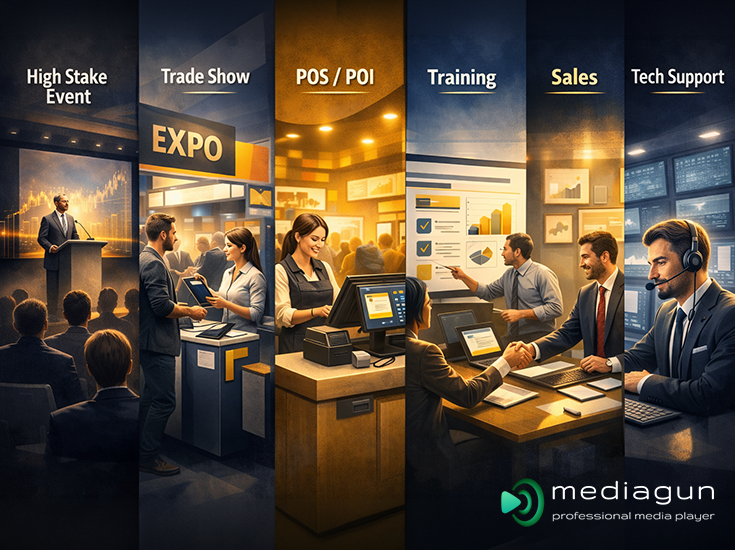
Multimedia presentation software sits at the intersection of storytelling, operations, and live performance. Unlike any other traditional “slide-only” tool, multimedia platforms are designed to combine and play different types of content: slides, PDFs, spreadsheets, images, video, audio, Word, Excel, and PowerPoint presentations into a single, coherent delivery flow. The value is practical: speakers can move faster, show more convincing evidence, and keep audiences engaged without breaking momentum by switching apps or searching for files mid-session.
In modern organisations, the presentation is rarely just a deck. It is an experience: a sequence of proof points, demonstrations, customer stories, dashboards, media clips, and reference documents. Multiformat presentation software exists to make that experience reliable and repeatable, whether you are pitching a client, teaching a class, supporting a technical troubleshooting call, or running diverse media on a conference stage.
Below is a tour of high-impact use cases across industries, with an emphasis on what multimedia capability enables and how teams typically structure their workflows for success.
Key Use Cases of Multimedia Presentation Software
Explore how multimedia presentation software improves workflows across industries, helping teams deliver content seamlessly and engage audiences, while showing how organizations structure playlists, integrate diverse file types, and ensure flawless presentations every time.
Business Presentations
Business presentations are the most common use case and arguably the most misunderstood. Many teams still think “presentation” means “PowerPoint,” but business communication has expanded far beyond slides. Stakeholders want to see evidence: short video clips, customer testimonials, product mock-ups, financial snapshots, charts exported from financial/scientific software, and supporting documents that can be referenced quickly.
Each of these assets is best served by a specific file extension. Here, the greater the range of extensions that a multiformat presentation software can support natively, the better, as it frees the user from the downtime required to convert formats and hunt for codecs. Additionally, it supports a more persuasive narrative by allowing presenters to move fluidly between formats. For instance, a leadership update may combine:
A short intro video to set the tone
PPTX slides summarising strategy
A short customer interview clip
A live dashboard snapshot exported as an image or PDF
A Q&A appendix containing reference Word/Excel documents
This approach is particularly effective when the audience is mixed; some people want the headline, others want details. Multimedia platforms make it easier to keep both groups satisfied, because the presenter can go “high level” and still jump instantly to supporting artefacts when challenged. In practice, the best business presentations resemble “modular playlists”: a core track for the main narrative, plus optional branches for deeper dives by topic.
Corporate Meetings
Corporate meetings are often less polished than public-facing talks, yet the stakes can be higher: decisions are made, budgets approved, timelines altered. These meetings benefit from multimedia presentation software designed for speed, control, and instant access to materials.
In board meetings, quarterly business reviews, or cross-functional planning sessions, the typical problem is not creativity: it’s coordination. Multiple contributors bring multiple files, and time is limited. Multimedia presentation software helps by:
Consolidating diverse inputs into one structured run-through.
Supporting quick navigation to “that document we saw earlier”.
Reducing delays and distractions caused by opening files in different programs.
A strong corporate meeting experience depends on predictable navigation. The presenter should be able to skip forward, jump backward, or open a specific artefact on demand. This is especially valuable when discussions become non-linear. For example, an executive asks to revisit a number, a stakeholder requests a policy reference, or a team needs to compare two versions of a plan.
In hybrid meetings, a multiformat presentation software also helps remote participants. When visuals switch cleanly and consistently, comprehension improves, and meeting fatigue drops.
Training Sessions and Workshops
Training is one of the clearest wins for multimedia presentation software because training content is inherently mixed-format. Trainers typically blend different formats such as:
Screenshots and diagrams
Short video demonstrations
Downloadable documents and job aids
Exercises and prompts (sometimes timed)
Concept slides (frameworks, definitions, steps)
Audio cues or background tracks in experiential workshops
Workshops also require pacing. A trainer might want to control when to reveal content, pause for discussion, replay a clip, or quickly move to an exercise. Multimedia presentation software supports that facilitation role by letting the trainer choreograph the session: not only what to show, but when and how it appears.
Another practical benefit is consistency across instructors. If your organisation trains at scale, onboarding cohorts, compliance refreshers, and product certifications, a multimedia session makes delivery repeatable. Playlists can be saved and recalled instantly with a simple double-click, making it easy for a trainer to run the same session reliably over time (and for multiple trainers on the same setup to deliver an identical flow).
Sales
Sales conversations are not always straightforward; customers ask questions, interrupt, and want to see how things work for them right away. MediaGun’s strength in sales is speed: because you can assemble mixed-format playlists in seconds (videos, PDFs, Office docs, images, audio). So, it becomes practical to generate customised commercial offers and quotes on the fly, selecting only the most relevant assets for that specific buyer and industry context.
That agility also reduces demo risk. Instead of juggling multiple apps or painstakingly cramming everything into a single slide deck, a sales team can run a single, coherent sequence that includes product clips, case studies, spec sheets, and pricing visuals as separate playlist items.
Finally, when you need a deliverable after the meeting, MediaGun offers an added bonus: screen-record the playlist in full screen as an MP4 video using the operating system’s built-in (free) screen-recording tools. This effectively “converts” what you ran on Stage into a shareable video format for follow-up, internal review, or asynchronous stakeholders.
Tech Support
Technical support is a presentation environment in disguise: agents constantly “present” troubleshooting steps, workflows, and evidence to users. With MediaGun, a support team could go further and build as many saved playlists as there are recurring support scenarios, each playlist acting like a packaged, step-by-step resolution path (screenshots, PDFs, short videos, text instructions, even audio cues). Because saved playlists can be recalled instantly with a simple double-click, this becomes a kind of multimedia FAQ: pick the case, run the sequence, resolve the issue.
In practice, that playlist can be shared live with the client via screen sharing during a support call, or it can be screen-recorded (using free, built-in OS tools) into an MP4 when you want to deliver an asynchronous “here’s exactly how to fix it” walkthrough. Over time, once this library of case-playlists is built, it can dramatically reduce repetitive explanation, shorten calls, standardise resolution quality across agents, and therefore save the company substantial time and money.
Educational Environments
Education should inherently be multimedia. Even in traditional classrooms, effective teaching naturally blends text, images, diagrams, charts, video, and audio, because not all students process information the same way, and memory improves when concepts are reinforced through multiple channels.
If education isn’t multimedia in practice, it’s usually because the tools make it slow or unreliable, app-switching breaks flow, media can fail, and prep becomes extra work. In blended learning, flipped classrooms, and lecture capture, multimedia is no longer optional; it’s the baseline for clarity, engagement, and retention. In schools, colleges, and professional learning programs, multiformat presentation software enables:
Reliable playback of media
Rich explanations using clips, simulations, and diagrams
Better support for diverse learning styles (visual, auditory, contextual)
Smooth transitions between lecture, demonstration, and discussion
A typical lesson might move between:
Slides for structure
Images for visual analysis
PDFs for reading extracts
Short videos for demonstrations
Worksheets or reference documents
Audio for language learning or music instruction
In higher education and research settings, presenters often need to show dense artefacts: papers, figures, and data tables, without losing the audience. Multiformat presentation software helps by allowing fast zooming, switching, and re-orienting. In the best cases, it makes academic content feel more like a guided tour than a static lecture.
Live Events and Conferences
Live events are where multimedia software becomes mission-critical. Conference sessions, keynote addresses, panel discussions, and awards shows often require precise control, quick changes, and consistent visual quality across varied content sources.
Multimedia presentation software is used in conferences to:
Cue pre-rolls, bumpers, and stings: short video items can be placed in the playlist and triggered instantly (manually on cue, or sequenced in Solo mode).
Run sponsor loops and holding screens: sponsor reels can auto-play and loop in Solo mode, while a branded “holding” image can be shown when playback is stopped. Handle last-minute file changes without chaos.
Manage speaker-to-speaker transitions smoothly: when multiple presenters and media formats are queued in a single playlist, the operator can move cleanly from one speaker’s content to the next without app-switching or file-hunting.
Support stage managers and AV crews with predictable playback: content is pre-validated before going live, and the run order is controlled (manual cues or Solo sequencing). The crew can rely on consistent behaviour under pressure, reducing on-stage surprises.
A conference environment is also unforgiving. There’s an audience, a schedule, and no patience for “just a second while I find the file.” Good multimedia presentation software reduces failure points and allows operators to keep the show moving even if something goes wrong.
The most successful conference workflows treat content like a show playlist. The operator isn’t “presenting” in the traditional sense; they’re running a programme. That requires software built for performance: fast recall, stable playback, and the ability to jump to specific moments.
Trade Shows and Expos
Trade shows combine the demands of sales, marketing, and operations, often in a noisy environment with short attention spans. Here, multimedia presentation software is used both for active engagement (when staff talk to visitors) and for passive display (when screens run on their own).
Key trade show patterns include:
Looping highlight reels to attract attention
Instant access to brochures, spec sheets, and case studies
On-demand product demonstrations tailored to visitor interest
Multi-screen setups where one display loops while another supports live conversations
The value is agility. A visitor approaches with a specific question, and the exhibitor can immediately show a relevant video clip, diagram, customer story, or technical sheet, without rummaging through folders or switching tools. That responsiveness can be the difference between a quick chat and a qualified lead.
Even small booths benefit from a “playlist mindset”: a core loop that runs automatically, plus modular sequences for verticals or product lines. The faster a team can pivot content to match visitor intent, the more effective the booth becomes.
POS/POI (Point of Sale / Point of Information)
Unattended playback is the “natural home” for multimedia presentation software because the goal is simple: keep a screen running reliably, all day, without an operator. In POS/POI contexts, retail displays, reception areas, showrooms, waiting rooms, internal comms screens, wayfinding points, the content is usually a repeating mix of formats: promo videos, product images, rotating messages, price lists, menus, event announcements, and branded interstitials.
In Solo mode, MediaGun’s automatic timing logic removes the need for timeline-style authoring. Each media type is timed automatically (video/audio by native duration; images default to 7 seconds; TXT and documents by content density), so operators don’t have to build or maintain a timeline or manually set durations item-by-item. In practice, that saves substantial prep time and effort, and the user doesn’t even have to think about timings at all.
Conclusion
Multimedia presentation software is less about making prettier slides and more about delivering information with speed, confidence, and control. Across business presentations, corporate meetings, training, sales, technical support, education, live events, trade shows, and POS/POI, the pattern is the same: whoever is delivering the content needs to orchestrate multiple content types without friction.
When chosen and used well, multimedia presentation tools transform presentations into dynamic, evidence-driven experiences. They reduce operational risk, increase responsiveness to audience needs, and make complex narratives easier to follow. In a world where attention is scarce and credibility is earned through clarity, the ability to move seamlessly between formats isn’t a luxury: it’s a strategic advantage.
MediaGun: A Powerful Multimedia Presentation Tool
MediaGun is a professional multimedia presentation software that supports over 50 file types, including videos, images, audio files, PDFs, and Office documents. Its drag-and-drop interface makes it quick and easy to assemble media into a seamless playlist.
Designed for speed and reliability, it validates all playlist items before showtime, preventing missing files or broken links from disrupting your session. That’s why we are trusted by major brands such as Nestlé and Japan Tobacco International for high-impact presentations, events, and trade shows.
Supported on Windows, macOS, and Linux, it is ideal for educators, trainers, event organizers, trade shows, and POS/POI environments, allowing professionals to focus on content rather than technical hurdles.
Curious to see it in action? Contact us to learn more about features, demos, and pricing.
FAQs
1. What is MediaGun, and what does it do?
MediaGun is a professional multi-format presentation software that instantly plays playlists containing videos, images, audio, PDFs, and Office documents. It’s designed for fast, seamless, and high-impact presentations without the need for file conversion.
2. Can MediaGun edit or create content?
No. MediaGun does not create or edit content. All files must be authored in their original applications (PowerPoint, Word, Excel, or media editors). MediaGun’s role is to display and play these files seamlessly.
3. How can I try MediaGun?
You can start a free 14-day trial, which includes full core functionality. No billing is triggered automatically. For demos, contact MediaGun via www.mediagun.com/contact.
5. Who should use MediaGun?
MediaGun is ideal for:
Educators, trainers, and lecturers
Sales and marketing professionals
Event and trade-show organisers
Audio-visual service providers
POS/POI displays
Anyone who presents regularly

Comments